- USArray Data Overview
- Transportable Array Overview
- Reference Network Overview
- Flexible Array Overview
- Magnetotelluric Overview
- All USArray Stations
- Quality Control
- Data Access
- Data Access Examples
- DMC EarthScope stats

USArray Data Overview
The USArray component of the EarthScope experiment was a continental-scale seismic observatory designed to provide a foundation for integrated studies of continental lithosphere and deep Earth structure over a wide range of scales. USArray will provide new insight and new data to address fundamental questions in earthquake physics, volcanic processes, core-mantle interactions, active deformation and tectonics, continental structure and evolution, geodynamics, and crustal fluids (magmatic, hydrothermal, and meteoric).
Learn more at the USArray website »
The EarthScope DMC is the final archive and distribution point for all raw USArray data from each sub-component: Transportable Array, Reference Network (Backbone/Permanent Array), Flexible Array and Magnetotelluric Array.
The DMC’s Virtual Network concept can be used to select various components of USArray data. The following table illustrates the scope of the USArray virtual networks:
| Virtual Network code | Description |
|---|---|
| _US-TA | USArray Transportable Array stations |
| _US-REF | USArray Reference Network (including Backbone/Permanent Array) stations |
| _US-FA | USArray Flexible Array stations |
| _US-MT | USArray Magnetotelluric stations |
| _US-ALL | All USArray stations |
USArray Transportable Array
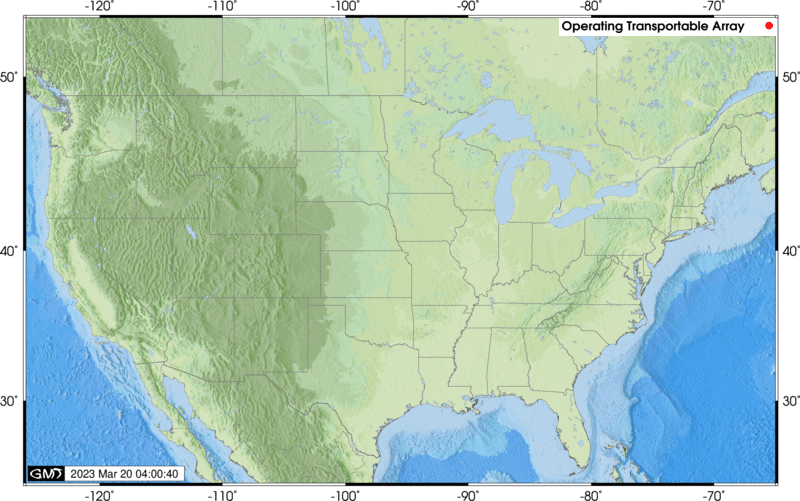
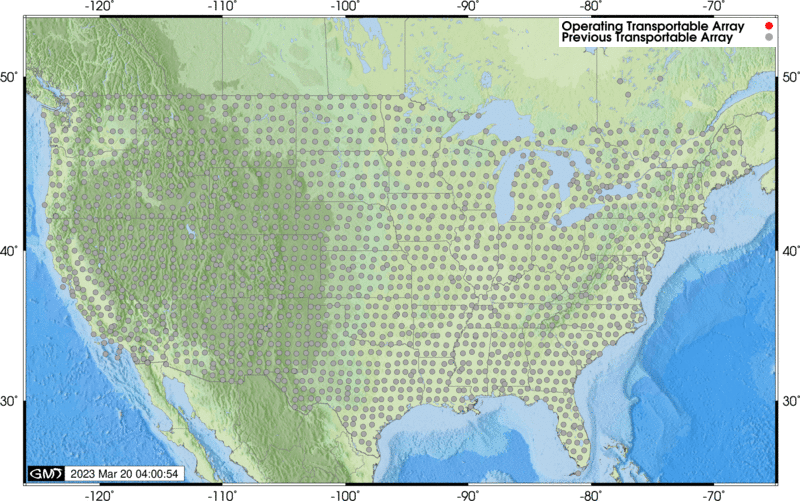
The Transportable Array is a set of 400 broadband stations that will, over the 10 year course of the project, traverse the conterminous United States. The DMC receives 40 and 1 samples/second seismic data streams from each site in addition to related state-of-health data in real-time. Since mid-2010, atmospheric sensors have been installed at the TA stations. Information about these sensors is available at usarray.org Atmospheric.
Station lists
| List | Description |
|---|---|
| Operating Stations List | List of Operating TA stations in HTML format |
| Operating Stations: XML, Text, MS-Excel |
List of Operating TA stations in XML, Text (tab separated) and MS-Excel |
| All Stations List | List of all (past and present) TA stations in HTML format |
| All Stations: XML, Text, MS-Excel |
List of all TA stations in XML, Text (tab separated values) and MS-Excel |
Station maps
| Map Data | Description |
|---|---|
| Operating Stations Google Map | Operating TA stations as a web-viewable Google Map |
| Operating Stations KML | Operating TA stations as a KML NetworkLink (e.g. for Google Earth) |
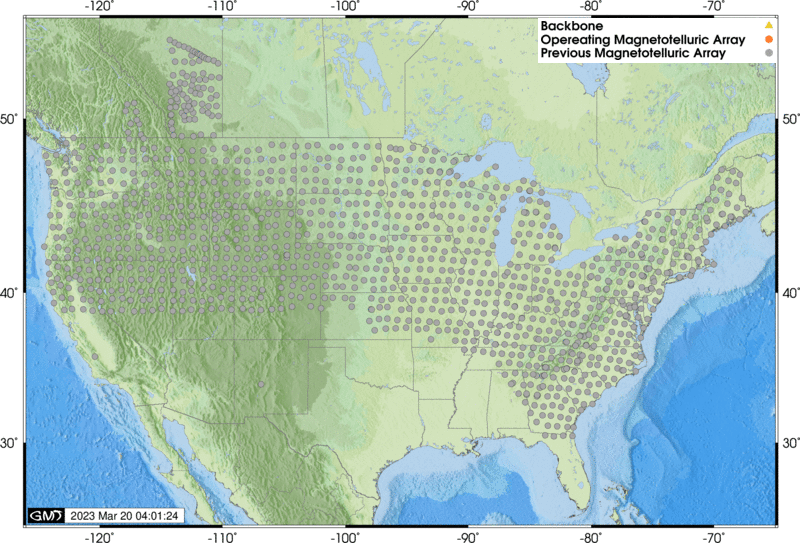
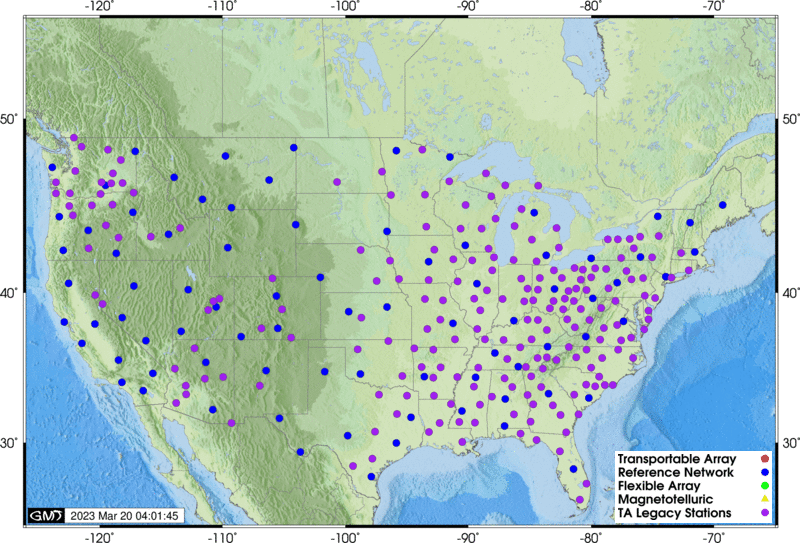
| Operating Stations Map GIF | Operating TA Network stations as a GIF image file, conterminous US only |
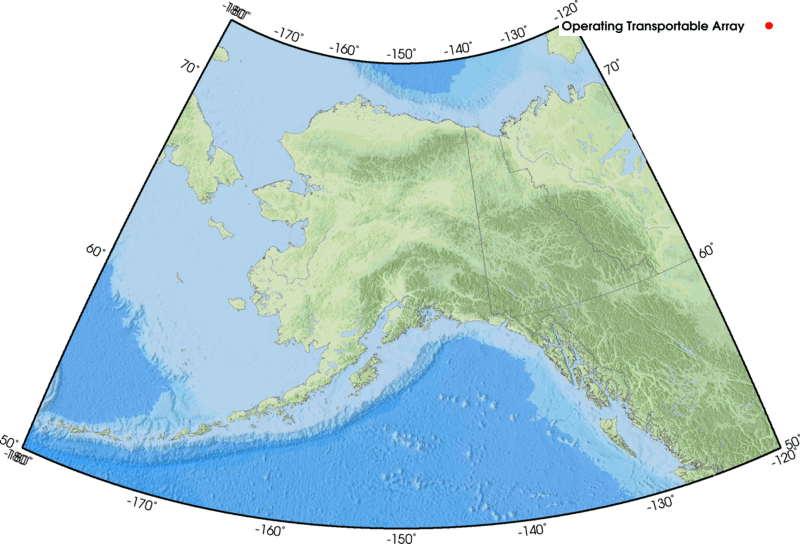
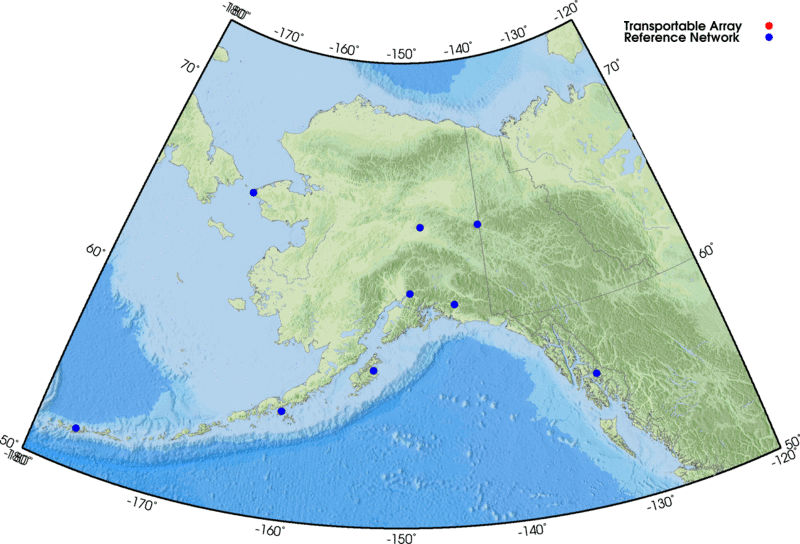
| Operating Alaska Stations Map GIF | Operating TA Network stations as a GIF image file, Alaska region only |
| All Stations Google Map | All TA stations (past and present) as a web-viewable Google Map |
| All Stations KML | All TA stations as a KML NetworkLink (e.g. for Google Earth) |
| All Stations Map GIF | All TA stations as a GIF image file, conterminous US only |
Station reports
| Report | Description |
|---|---|
| Station Digests | Summary of station information, created after station closure |
| Landowner Reports | Summary of station information, intended for the station hosts |
USArray Reference Network (including Backbone/Permanent Array)
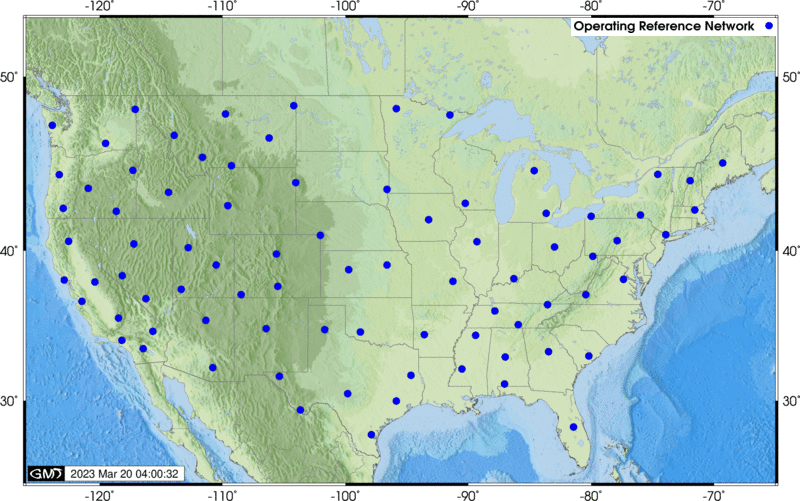
The Reference Network is composed of permanent stations at a roughly 300 km spacing across the United States and includes the 39 EarthScope-funded Permanent Array stations. The DMC receives 40 and 1 samples/second seismic data streams from most sites.
Station lists
| List | Description |
|---|---|
| Station List | List of Reference Network stations in HTML format |
| Stations: XML, Text, MS-Excel |
Reference Network stations in XML, Text (tab separated values) and MS-Excel |
Station maps
| Map Data | Description |
|---|---|
| Stations Google Map | Permanent Array stations as web-viewable Google Map |
| Station KML | Reference Network stations as a KML file (e.g. for Google Earth) |
| Stations Map GIF | Reference Network stations as a GIF image file, conterminous US only |
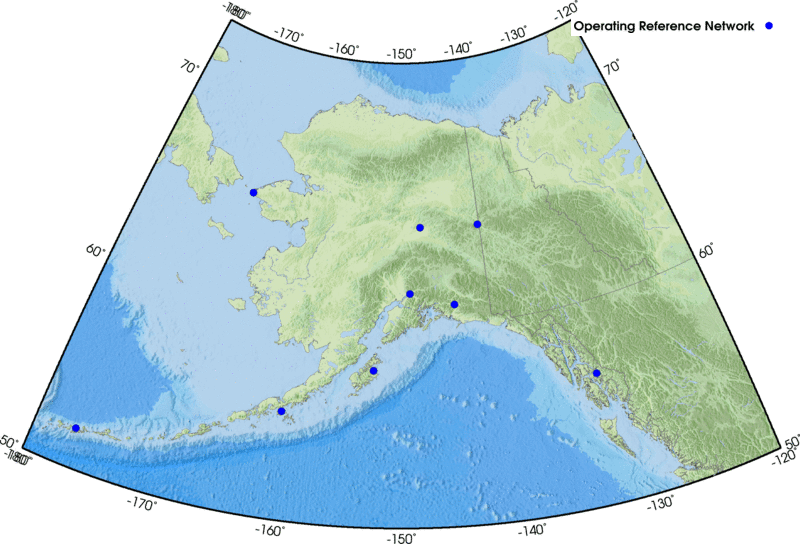
| Alaska Stations Map GIF | Reference Network stations as a GIF image file, Alaska region only |
USArray Flexible Array
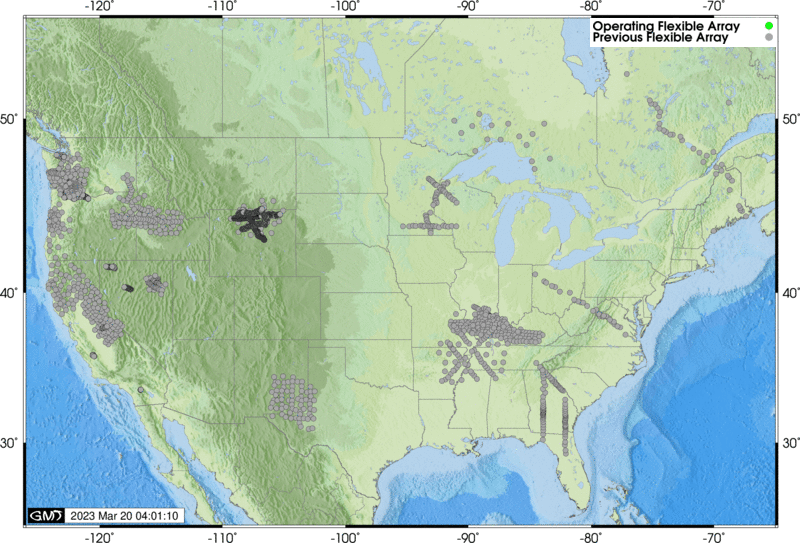
The Flexible Array is a set of broadband and active-source oriented instruments deployed on a temporary basis according to individual proposal (the PASSCAL model). Data rates and availability from Flexible Array deployments depend on the individual proposals.
Station lists:
| List | Description |
|---|---|
| Operating Stations List | List of Operating FA stations in HTML format |
| Operating Stations: XML, Text, MS-Excel |
List of Operating FA stations in XML, Text (tab separated) and MS-Excel |
| All Stations List | List of all (past and present) FA stations in HTML format |
| All Stations: XML, Text, MS-Excel |
List of all FA stations in XML, Text (tab separated values) and MS-Excel |
Station maps
| Map Data | Description |
|---|---|
| Operating Stations Google Map | Operating FA stations as a web-viewable Google Map |
| Operating Stations KML | Operating FA stations as a KML file (e.g. for Google Earth) |
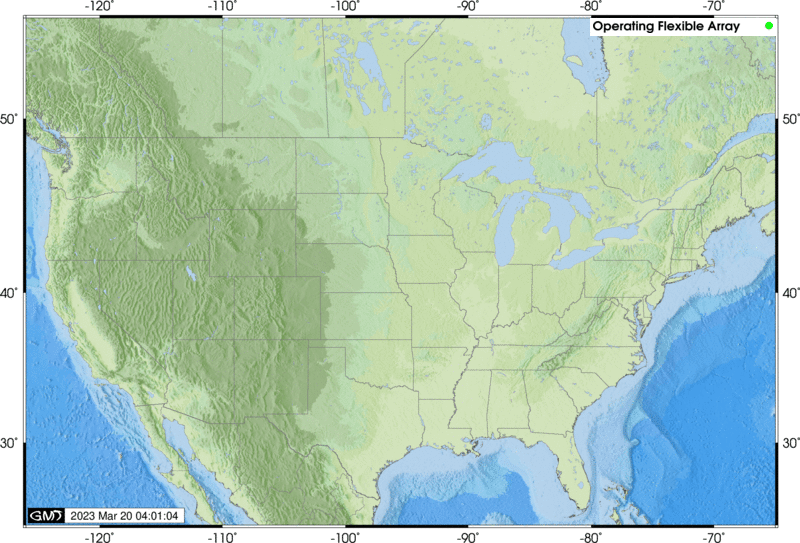
| Operating Station Map GIF | Operating FA Network stations as a GIF image file, conterminous US only |
| All Stations Google Map | All FA stations (past and present) as web-viewable Google Map |
| All Stations KML | All FA stations as a KML NetworkLink (e.g. for Google Earth) |
| All Stations Map GIF | All FA stations as a GIF image file, conterminous US only |
USArray Magnetotelluric
The magnetotelluric (MT) component of USArray consists of 7 permanent MT stations and a mobile array of 20 MT stations that will each be deployed for a period of about one month in regions of identified interest with a spacing of approximately 70 km.
Station lists
| List | Description |
|---|---|
| Operating Stations List | List of Operating Magnetotelluric stations in HTML format |
| Operating Stations: XML, Text, MS-Excel |
List of Operating Magnetotelluric stations in XML, Text (tab separated) and MS-Excel |
| All Stations List | List of all (past, present and future) Magnetotelluric stations in HTML format |
| All Stations: XML, Text, MS-Excel |
List of all Magnetotelluric stations in XML, Text (tab separated values) and MS-Excel |
Station maps
| Map Data | Description |
|---|---|
| Operating Stations Google Map | Operating MT stations as web-viewable Google Map |
| Operating Stations KML | Operating MT stations as a KML file (e.g. for Google Earth) |
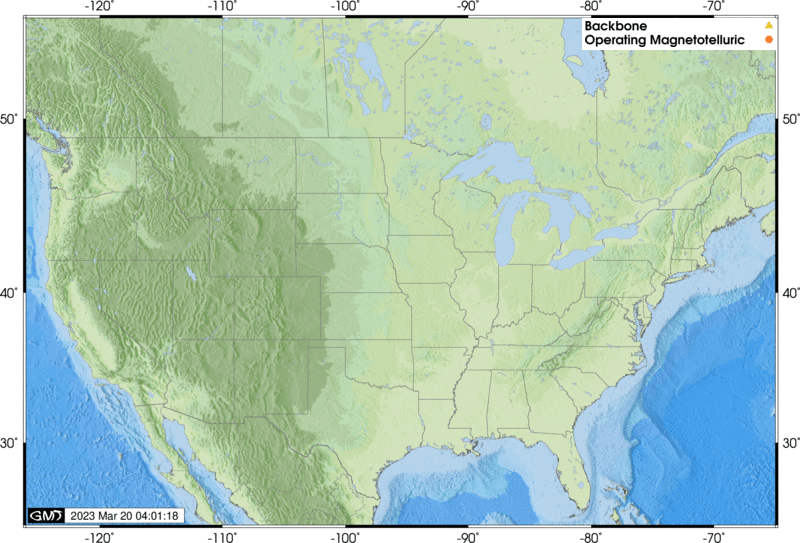
| Operating Stations Map GIF | Operating MT Network stations as a GIF image file, conterminous US only |
| All Stations Google Map | All MT stations (past and present) as web-viewable Google Map |
| All Stations KML | Magnetotelluric stations as a KML NetworkLink (e.g. for Google Earth) |
| All Stations Map GIF | All MT stations as a GIF image file, conterminous US only |
All USArray Stations
Station lists
| List | Description |
|---|---|
| Operating Stations List | List of Operating USArray stations in HTML format |
| Operating Stations: XML, Text, MS-Excel |
List of Operating USArray stations in XML, Text (tab separated) and MS-Excel |
| All Stations List | List of all (past, present and future) USArray stations in HTML format |
| All Stations: XML, Text, MS-Excel |
List of all USArray stations in XML, Text (tab separated values) and MS-Excel |
Station maps
| Map Data | Description |
|---|---|
| Operating Stations Google Map | Operating USArray stations as a web-viewable Google Map |
| Operating Stations KML | Operating USArray stations as a KML NetworkLink (e.g. for Google Earth) |
| Operating Stations Map | Operating USArray stations as a GIF, conterminous US only. Includes legacy TA stations(former TA stations still operating, often under a different network name) |
| Operating Alaska Stations Map | Operating USArray Alaska stations as a GIF image file, Alaska region only |
| All Stations Google Map | All USArray stations (past and present) as a web-viewable Google Map |
| All Stations KML | All USArray stations as a KML NetworkLink (e.g. for Google Earth) |
USArray Quality Control at the DMC
The DMC performs both automated and manual quality control on USArray data. A small team of analysts review raw USArray data regularly in addition to performing higher level quality control measurements. More details are available on the USArray Quality Control Overview page.
To Request USArray Data from the DMC
All USArray data at the DMC is managed within the existing DMC infrastructure along with all the other, non-USArray data at the DMC. This means that USArray data is available via all the DMC’s traditional request mechanisms.
Before requesting data for the first time, we recommend that you learn about requesting and using EarthScope data in general. A good place to start is on the EarthScope DMC Data page.
Real-time data: EarthScope distributes near-real time miniSEED data directly from our real-time collection system (BUD). Click here for details about getting data from our real-time systems. The recommended method for receiving real-time data feeds is with the DMC’s SeedLink service.
Transportable Array and Reference Network: Data from both the Transportable Array and Reference Network are delivered to the DMC in near-real time in SEED format. It is available via all the DMC’s traditional request mechanisms including near-real time. Approximately 7 days after arriving at the DMC the data are copied to the primary archive making them available to all request mechanisms. The data remain in, and are available via, the real-time collection system (BUD) for two months.
Transportable Array SEED data qualities (in order of increasing preference)
| SEED Quality | Description |
|---|---|
R |
Data delivered to the EarthScope DMC via real-time telemetry |
D |
Gap-fill data delivered after real-time data, usually delivered within 3 months of real time. |
Q |
TA final station data sets delivered after station removal, these data are primarily onsite (Baler) data merged with real-time telemetered data |
Transportable Array data do not contain routine timing or other corrections, the differences in the data qualities is primarily completeness and, in the case of TA Final data sets, richness in terms of included data quality bits in the Mini-SEED headers.
Most DMC request mechanisms will default to returning the highest quality data, or a mix thereof, available for the request. Some request mechanisms also allow selection of specific qualities.
Transportable Array Channel Descriptions
The following is a list of all channels collected for the Transportable Array. Not all of these channels are available in real-time, and not all channels are available for every station.
sps — samples per second
| Channel | Description | Sample Rate (sps) |
|---|---|---|
| BHZ | Broadband Seismometer Vertical ground velocity, Q330 Chan1 | 40 |
| BHN | Broadband Seismometer North ground velocity, Q330 Chan2 | 40 |
| BHE | Broadband Seismometer East ground velocity, Q330 Chan3 | 40 |
| LHZ | Broadband Seismometer Vertical ground velocity, Q330 Chan1 | 1 |
| LHN | Broadband Seismometer North ground velocity, Q330 Chan2 | 1 |
| LHE | Broadband Seismometer East ground velocity, Q330 Chan3 | 1 |
| VHZ | from LHZ via VLP389, gain=1 | 0.1 |
| VHN | from LHN via VLP389, gain=1 | 0.1 |
| VHE | from LHE via VLP389, gain=1 | 0.1 |
| UHZ | from VHZ via ULP379, gain=1 | 0.01 |
| UHN | from VHN via ULP379, gain=1 | 0.01 |
| UHE | from VHE via ULP379, gain=1 | 0.01 |
| VEP | input voltage, 1count=150mV | 0.1 |
| VEC | system current, 1 count=1mA | 0.1 |
| VEA | GPS antenna current, 1 count=1mA | 0.1 |
| VKI | 330 internal temp, 1 count=1 degree C | 0.1 |
| VCO | 330 voltage controlled oscillator | 0.1 |
| VM1 | Boom position ch1, 1 count=0.1V | 0.1 |
| VM2 | Boom position ch2, 1 count=0.1V | 0.1 |
| VM3 | Boom position ch3, 1 count=0.1V | 0.1 |
| LCQ | clock quality, in percent. See definition in Q330 MSEED description | 1 |
| LCE | lock phase error from UTC in usec | 1 |
| VFP | percent of free packets in the DP4 queue | 0.1 |
| LTW | a byte of status bit information related to onsite conditions | 1 |
| VCE | from LCE via VLP389 | 0.1 |
| VCQ | from LCQ via VLP389 | 0.1 |
| VTW | from LTW via VLP389 | 0.1 |
| ACE | Administrative Clock Error, a blog of clock messages | none |
| LOG | a text log of datalogger and baler messages | none |
| OCF | a daily binary snapshot of the q330 configuration | none |
| EP-LDM | absolute barometric pressure in hPa, MEMS sensor QEP onboard, Q330 | 1 |
| EP-LKM | internal temperature inside VIE enclosure in degrees C, QEP onboard, Q330 | 1 |
| EP-LIM | internal humidity inside VIE enclosure in percent, QEP onboard, Q330 | 1 |
| EP-LEP | voltage supply, in volts, QEP onboard, Q330 | 1 |
| EP-LCE | clock phase error relative to UTC, in usec, QEP onboard, Q330 | 1 |
| EP-LCO | oscillator control value, QEP onboard, Q330 | 1 |
| EP-BDO | absolute barometric pressure Setra 278 w/o 800 hPa offset, QEP ADC3 Chan1 Q330 | 40 |
| EP-LDO | absolute barometric pressure Setra 278 w/o 800 hPa offset, QEP ADC3 Chan1 Q330 | 1 |
| EP-BDF | infrasound microphone, relative barometric pressure,NCPA IFS-4532, QEP ADC3 Chan2, Q330 | 40 |
| EP-LDF | infrasound microphone, relative barometric pressure,NCPA IFS-4532, QEP ADC3 Chan2, Q330 | 1 |
Additional channels for a Strong Motion sensor (Kinemetrics EST Episensor, 2g, 10V/g)
| Channel | Description | Sample Rate (sps) |
|---|---|---|
| HNZ | Accelerometer, vertical ground acceleration, Chan 4 Q330 | 100 |
| HNN | Accelerometer, north ground acceleration, Chan 5 Q330 | 100 |
| HNE | Accelerometer, east ground acceleration, Chan 6 Q330 | 100 |
| LNZ | Accelerometer, vertical ground acceleration, Chan 4 Q330 | 1 |
| LNN | Accelerometer, north ground acceleration, Chan 5 Q330 | 1 |
| LNE | Accelerometer, east ground acceleration, Chan 6 Q330 | 1 |
Additional channels for a Vaisala WXT-520 weather station
| Channel | Description | Sample Rate (sps) |
|---|---|---|
| EP-LWD | Wind Direction in degrees, Vaisala WXT520, QEP Q330 | 1 |
| EP-LWS | Wind Speed in 0.1 m/sec, Vaisala WXT520, QEP Q330 | 1 |
| EP-LDV | Outdoor Pressure in 0.1 hPA, Vaisala WXT520, QEP Q330 | 1 |
| EP-LKO | Outdoor Temperature in 0.1 deg C, Vaisala WXT520, QEP Q330 | 1 |
| EP-LIO | Outdoor Humidity in 0.1 percent, Vaisala WXT520, QEP Q330 | 1 |
| EP-LRO | Rain Intensity in 0.1 mm/hour, Vaisala WXT520, QEP Q330 | 1 |
| EP-LRH | Hail Intensity in hits/cm**2*hour, Vaisala WXT520, QEP Q330 | 1 |
| EP-LKH | Heater Temperature in 0.1 deg C, Vaisala WXT520, QEP Q330 | 1 |
| EP-LEH | Heater Voltage in 0.1 V, Vaisala WXT520, QEP Q330 | 1 |
| EP-LEW | Supply Voltage in 0.1 V, Vaisala WXT520, QEP Q330 | 1 |
| EP-LER | Reference Voltage in 0.001 V, Vaisala WXT520, QEP Q330 | 1 |
Flexible Array
Flexible Array experiments are usually conducted like traditional IRIS PASSCAL experiments in that data is retrieved from the field at specific intervals, sent to the PASSCAL Instrument Center and finally shipped to the DMC. These data are available via all “the DMC’s traditional request mechanisms”/ds/nodes/dmc/tools/ shortly after being received at the DMC with the access method dependent on the data type (either the SEED archive or Assembled data sets).
In some cases Flexible Array experiment data are telemetered in near-real time to the DMC in which case the data is managed similarly to Transportable Array, Reference Network or other real-time data feeds.
USArray Data Access Examples
This section is not intended to be an exhaustive tutorial for DMC data access, that function is served by the Tools page. Instead the purpose of these examples are to provide a brief illustration of and kickstart for data access.
Real-time data feeds
The preferred method to get continuous, real-time data feeds from USArray stations is to use the EarthScope DMC’s SeedLink service. Note that most but not all USArray stations are delivered to the DMC in real-time.
SeedLink client software exists for BRTT’s Antelope, Earthworm, SeisComP and a command line client, slarchive, that will write Mini-SEED data directly into the directories and files of your chosing. In the case of Antelope and Earthworm, client programs are included with the recent releases, otherwise source code for client software can be found on the SeedLink service overview page.
BREQ_FAST
breq_fast is an email-based request mechanism. A user sends a formatted request to breq_fast@iris.washington.edu, after which the user is notified by email when the request is ready to download from the DMC. The breqfast format is described here.
As a simple example, requesting a 40-minute window of data from the LHZ channel of every TA network station could be done by sending the following in the body of an email to breq_fast@iris.washington.edu:
.NAME Joe Researcher
.EMAIL joe@university.edu
.MEDIA FTP
.LABEL TA-TongaEvent
.END
* TA 2006 05 03 15 30 00.0 2006 05 03 16 10 00.0 1 LHZ
Note that this request only includes the TA network stations (the stations installed by EarthScope specifically for the Transportable Array). To request data from all Transportable Array stations including the shared and cooperative stations replace the TA network code with the _US-TA virtual network code.
Web Services
EarthScope web services provides direct access to data and metadata archived at the DMC.
Sample queries: